
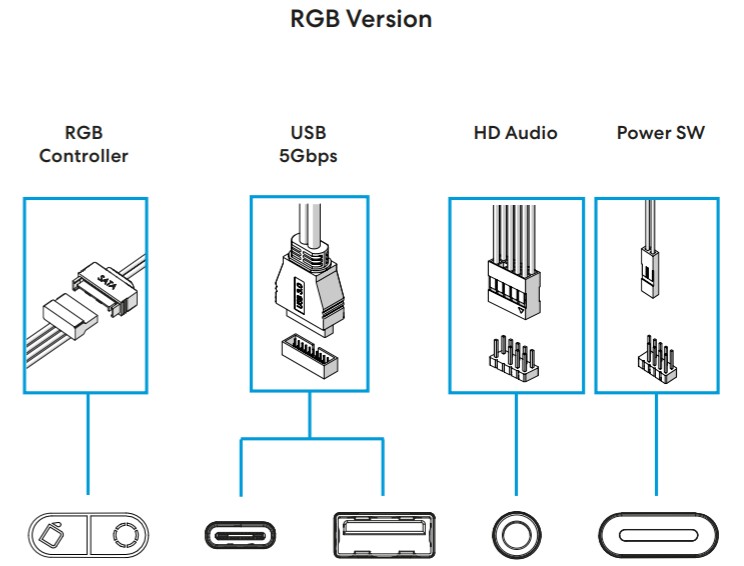
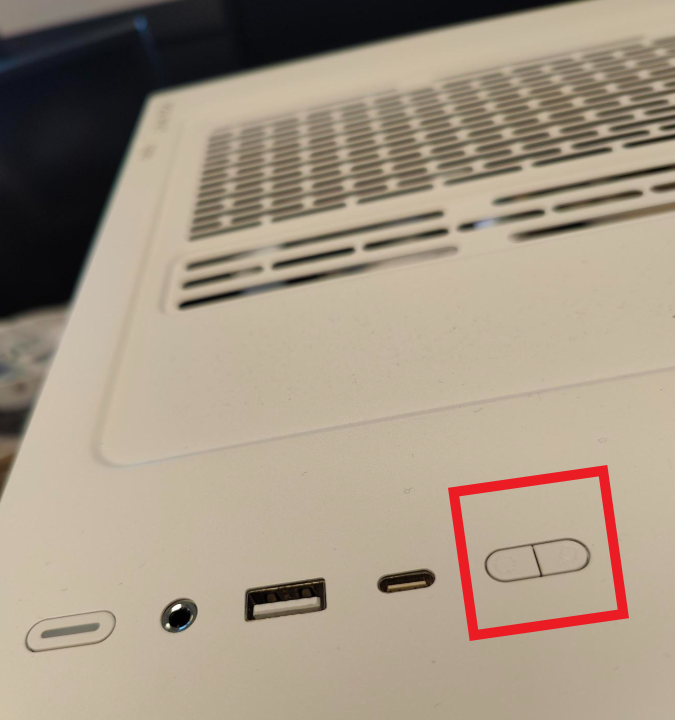
The RGB-version of the Pop 2 Vision includes an RGB controller integrated into the I/O-panel:
To connect your RGB-fans to this, chain these together, and install into the 3-pin connector on the underside of the I/O (inside right side panel, in the top furthest to the front):
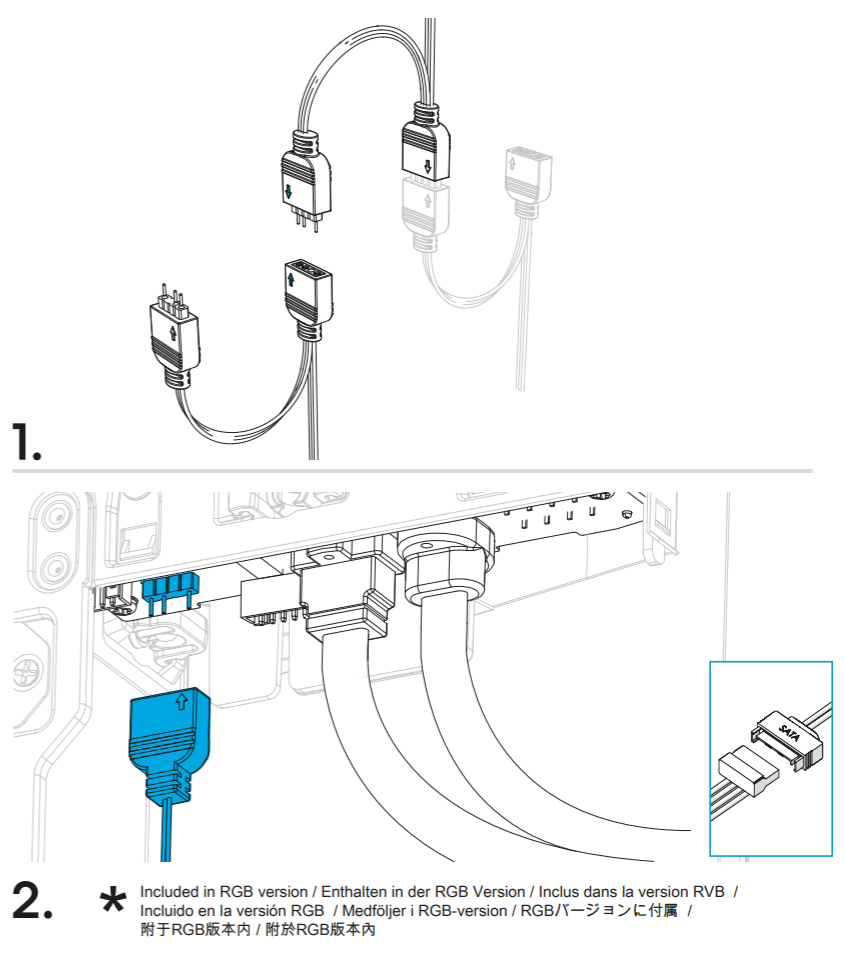
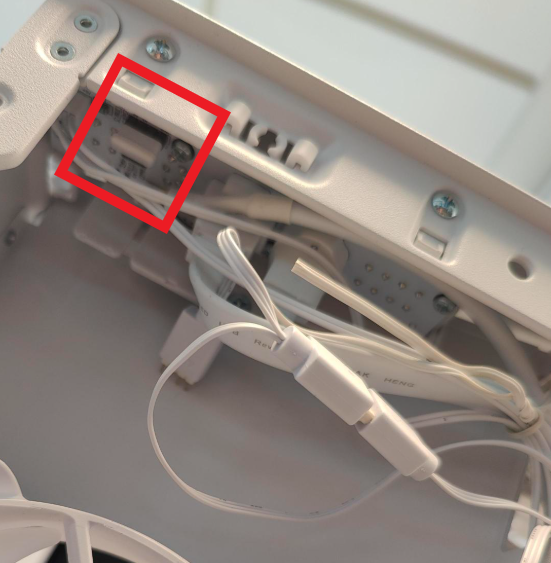
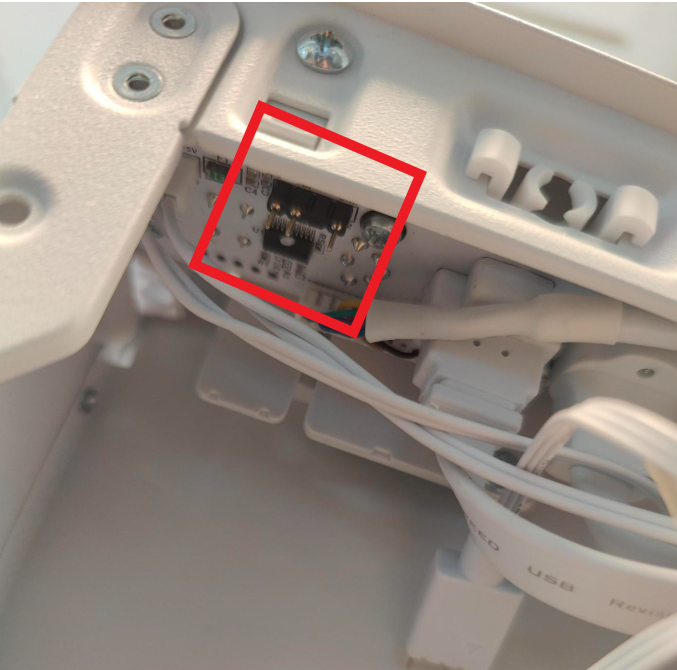
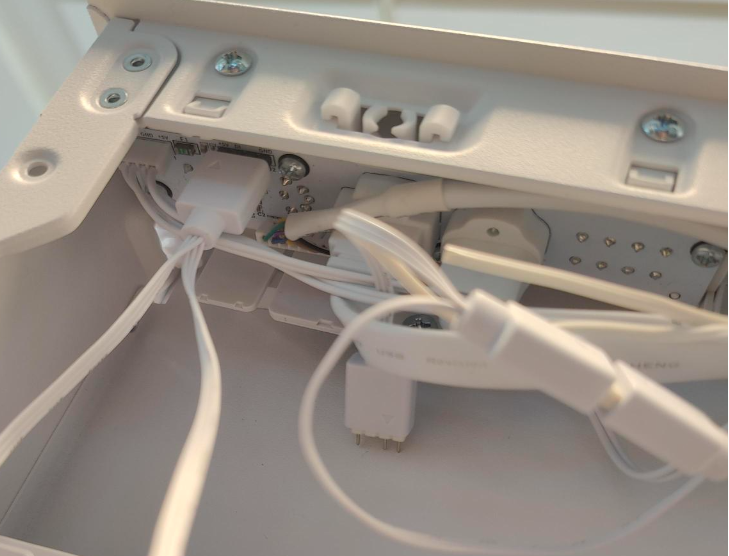
Also note that the flat SATA-cable coming from the front I/O-cables need to be installed to power the controller. This cable also powers the power LED on the RGB version.
The RGB controller has two buttons. The first control the color, while the second controls the mood:
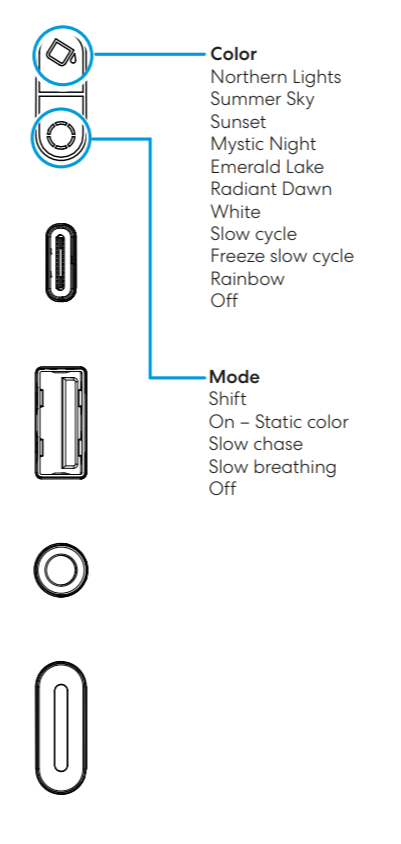
Mix these to find the mode and color that fits your build best.